
Introduction
If your website isn’t ranking on Google even after publishing good content, the problem might not be your content—it could be your internal linking strategy.
Internal linking is one of the most powerful yet underrated SEO techniques. It helps search engines understand your website structure and improves your rankings without spending money on ads.
In this guide, you’ll learn how to use internal links to boost your SEO and drive more organic traffic.
What is Internal Linking?
Internal linking means connecting one page of your website to another page on the same domain.
👉 Example:
Linking your blog “How to Increase Organic Traffic Without Ads” to another post like “Keyword Research Guide”
These links help:
- Users navigate your website
- Search engines crawl your site better
- Distribute SEO value (link juice)
Why Internal Linking is Important for SEO
1. Improves Search Engine Crawling
Search engines like Google use links to discover and index pages. Without internal links, some pages may never get indexed.
2. Boosts Page Authority
Internal links pass SEO value from one page to another, helping weaker pages rank higher.
3. Increases User Engagement
Visitors stay longer when they find relevant content through internal links.
4. Reduces Bounce Rate
Proper linking encourages users to explore more pages instead of leaving quickly.
Types of Internal Links
1. Navigational Links
Menus, headers, and footers that guide users across your site.
2. Contextual Links (Most Important)
Links placed inside content (blogs/pages). These have the highest SEO value.
3. Footer Links
Helpful for linking important pages like services, contact, or blogs.
Internal Linking Strategy (Step-by-Step)
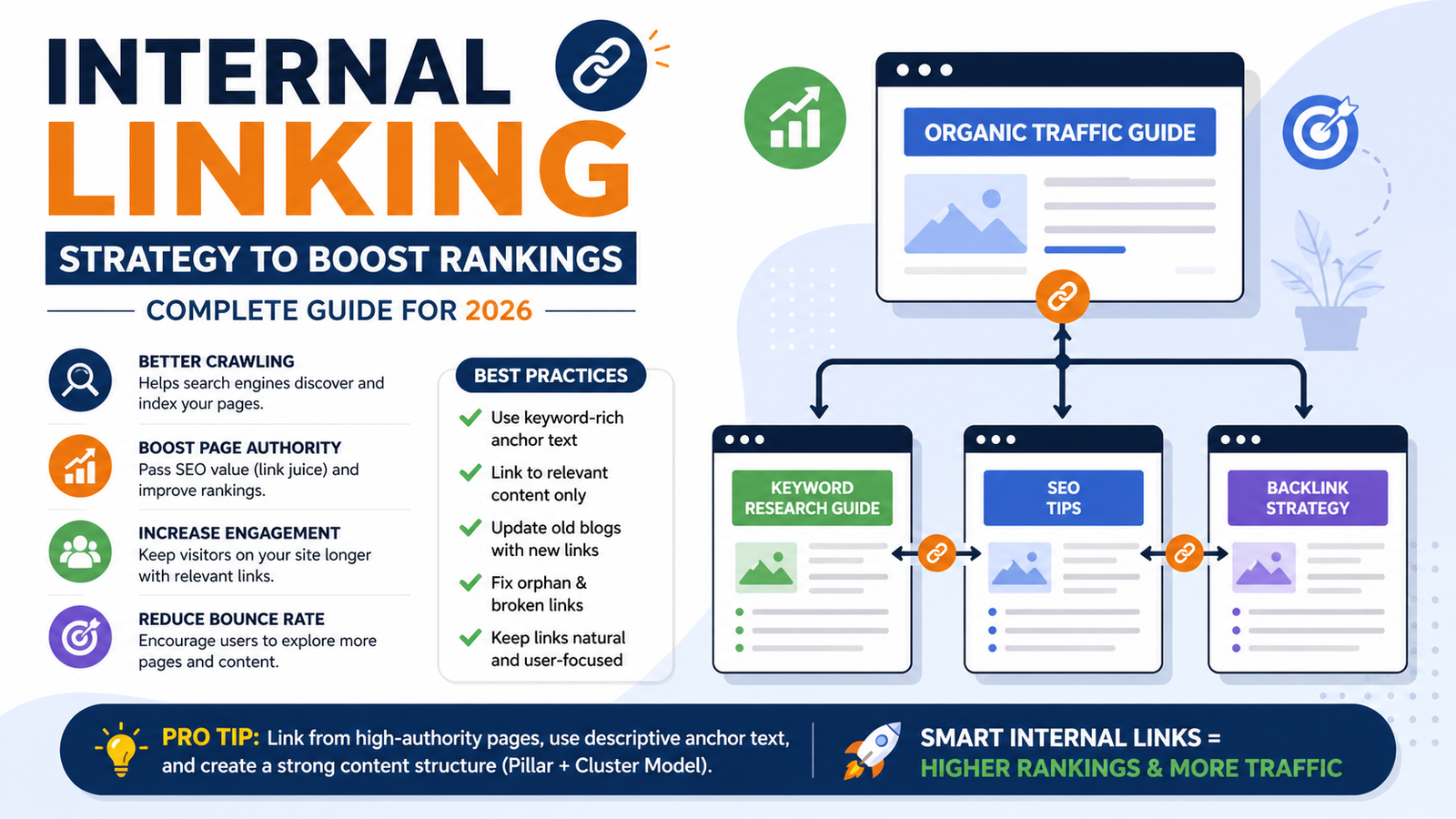
1. Create a Content Structure (Pillar + Cluster Model)
- Pillar Page: Main topic (e.g., Organic Traffic Guide)
- Cluster Pages: Related subtopics (SEO, keywords, backlinks)
👉 Link all cluster pages to the pillar page and vice versa.
2. Use Keyword-Rich Anchor Text
Instead of:
❌ Click here
Use:
✅ learn internal linking strategy
✅ SEO keyword research guide
👉 This helps Google understand what your page is about.
3. Link to Relevant Content Only
Don’t randomly add links. Always link to pages that provide additional value to the reader.
4. Add Links to High-Authority Pages
Linking from pages that already rank well can boost other pages.
5. Fix Orphan Pages
Orphan pages = pages with no internal links
👉 These pages won’t rank. Always connect them to other pages.
6. Keep a Balanced Number of Links
- Too few → poor SEO
- Too many → spammy
👉 Ideal: 3–10 internal links per blog (depending on length)
Common Internal Linking Mistakes
❌ Using the same anchor text everywhere
❌ Linking irrelevant pages
❌ Overstuffing links
❌ Ignoring old blog posts
❌ Broken internal links
Best Practices for Internal Linking
- Update old blogs with new links regularly
- Use descriptive anchor text
- Link deep pages (not just homepage)
- Keep links natural and user-focused
- Use breadcrumb navigation
Pro Tip: Internal Linking for Faster Rankings
When you publish a new blog:
- Add links from your existing blogs to the new post
- Submit it to Google Search Console
- Share internally across your site
👉 This helps Google find and rank your content faster
Example Internal Linking Structure
- Main Blog: Organic Traffic Guide
→ Links to: Keyword Research, SEO Tips, Backlink Guide - Sub Blogs
→ Link back to main blog
👉 This creates a strong SEO network
Conclusion
Internal linking is a simple but powerful SEO strategy that can significantly improve your rankings and traffic.
You don’t need ads—just a smart linking structure.
Start optimizing your internal links today, and you’ll see long-term growth in organic traffic.